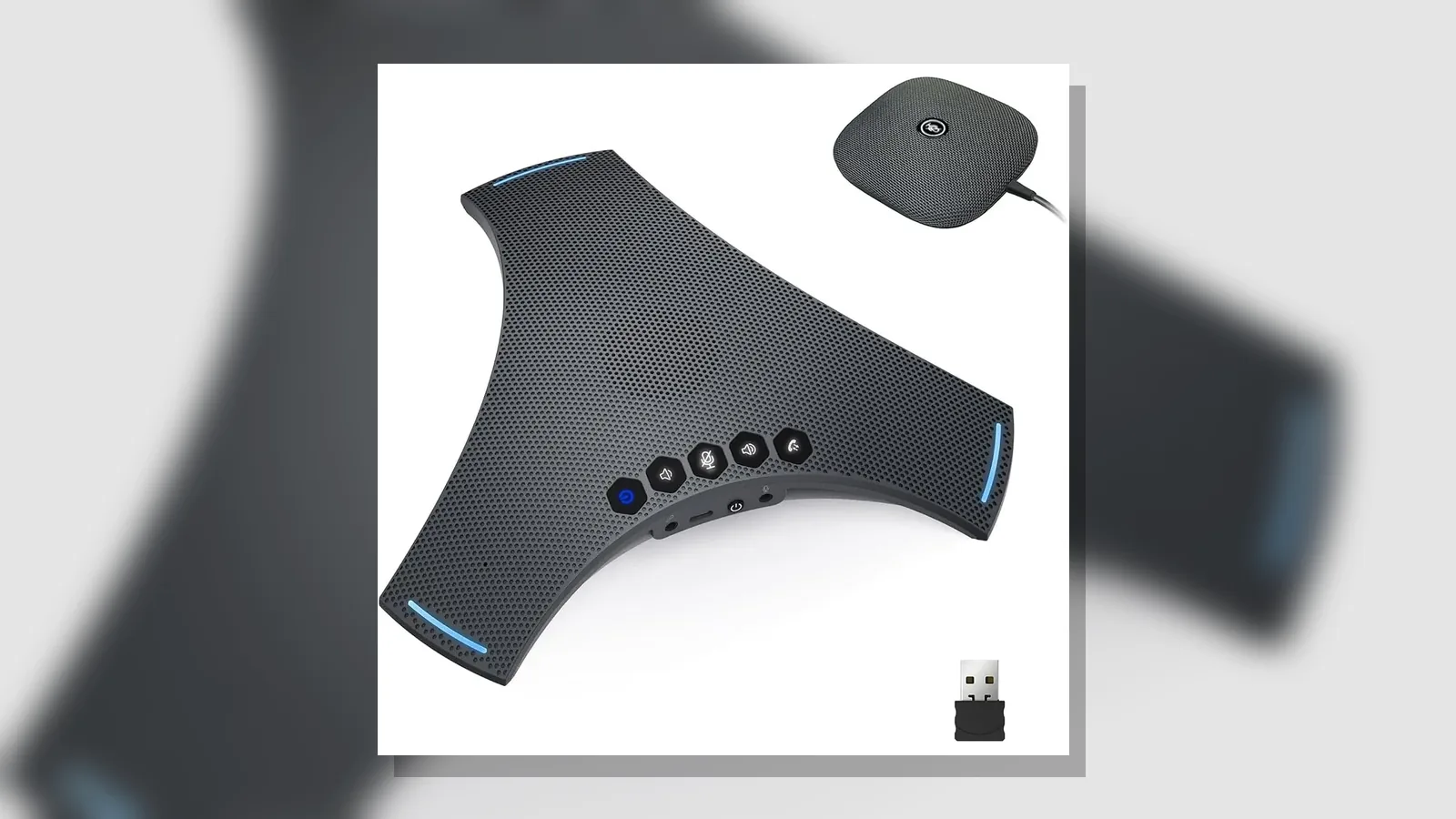
Conference speakerphone kit contents checklist: UK Practical Guide
A practical conference speakerphone kit contents checklist helps you confirm that the box includes the speakerphone unit, the power or charge method you need, every cable or wireless adapter required for your room, and clear setup instructions—before you book hybrid meetings or rely on the device for day-to-day calls.
Direct answer checklist
Use this list when you open the packaging or when you compare what a listing claims against what you actually receive:
- Main speakerphone unit (the compact all-in-one microphone and speaker body)
- Power supply, USB charge cable, or other charge method stated for the model
- Connectivity items you expect for your setup—USB cable, wireless dongle, and/or Bluetooth pairing guidance
- Any expansion microphone or receiver modules only if they are part of the chosen kit configuration
- Quick-start or user guide covering pairing, mute, volume, and basic call controls
- Protective packaging or pouch if the unit will travel between rooms or sites
A speakerphone is a compact all-in-one solution combining microphones and speakers. Kits may support USB, jack or Bluetooth-style connectivity and are commonly chosen for hybrid meetings, remote work and mobile communications.
Pre-checks
Before you accept the kit as complete, run these pre-checks in a calm, non-meeting moment:
- Match the kit to the room. Wired and wireless speakerphones suit small to medium informal conferencing, smaller huddle rooms, or on-the-road use—confirm the kit matches how you will actually place and move the device.
- Confirm connectivity paths. Check that every claimed link method is physically present or clearly documented: USB for a laptop dock, Bluetooth for phones or tablets, and any wireless dongle if that is part of your chosen setup.
- Check charge and first power-on. Confirm the unit powers on, charges as expected, and that ports and buttons match the guide.
- Test voice pickup in your real layout. Place the unit where people will sit and listen for clear two-way audio; look for omnidirectional or 360° pickup behaviour only as described for that product, without assuming a specific radius.
- Verify accessories against the invoice or packing note. If you ordered a host-only kit versus a host-plus-expansion kit, make sure the contents match that configuration.
Red flags to stop
Pause rollout and contact the seller or IT support if you notice any of the following:
- Missing cables, dongles, receivers or expansion mics that were part of the ordered configuration
- Claims of platform certifications (for example Microsoft Teams or Zoom) that are not shown on the packaging, guide or verified product materials
- Marketing claims of daisy-chain counts, fixed pickup radius, battery hours or performance figures that you cannot verify from the kit materials
- Damaged housing, loose connectors, or a unit that will not power on or pair
- Instructions that do not match the ports or buttons on the physical device
Record-keeping tips
Keep a short room and kit record so replacements and audits stay simple:
- Note the product name, configuration (for example host only versus host with expansion microphone), and purchase or asset reference
- Photograph the open box contents once against the packing list
- Record which rooms use USB, Bluetooth or a wireless dongle as the primary path
- Store the guide digitally and keep spare cables or dongles labelled with the device
- Log first successful test call date and who signed off the kit as complete
Next step
If you are comparing UK meeting-room speakerphone kits and want a Bluetooth-ready option with omnidirectional pickup, review the SpeakSpeak Orbit Pro product details and confirm the kit contents against this checklist before you deploy it.
FAQ
What should a conference speakerphone kit usually include?
At minimum, expect the speakerphone unit, a way to power or charge it, the connectivity items for your chosen method (USB, Bluetooth guidance and/or a wireless dongle), and basic setup instructions. Expansion microphones or receivers belong only in kits that explicitly include them.
How do I choose the right size conference speakerphone in the UK?
Match the kit to small or medium informal rooms, huddle spaces or portable use rather than assuming one device covers every room type. Prefer a clear contents list and connectivity that fits your laptops and mobiles over unverified coverage claims.
What are common mistakes when using a conference speakerphone in the UK?
Common mistakes include deploying before checking cables and dongles, assuming platform certification without evidence, placing the unit where people sit outside practical pickup, and mixing host-only kits with expansion kits without updating room records.
Is a Bluetooth conference speakerphone enough for hybrid calls?
Bluetooth can be a practical path for hybrid and mobile use when the kit also covers your desk USB needs and you confirm pairing works on your devices. Treat USB and any included wireless dongle as complementary options rather than optional afterthoughts.